Hello everyone,
Thank you all for your replies on this post. The system locale is not relevant to this issue. The earlier answer referencing that was from a new support employee who is still in training, so I apologize for the confusion.
In SmarterMail, the date format used in webmail is determined by the language configured on the user account, not the server operating system locale.
To display dates in d/m/y format, you need to set the user’s language to English (United Kingdom).
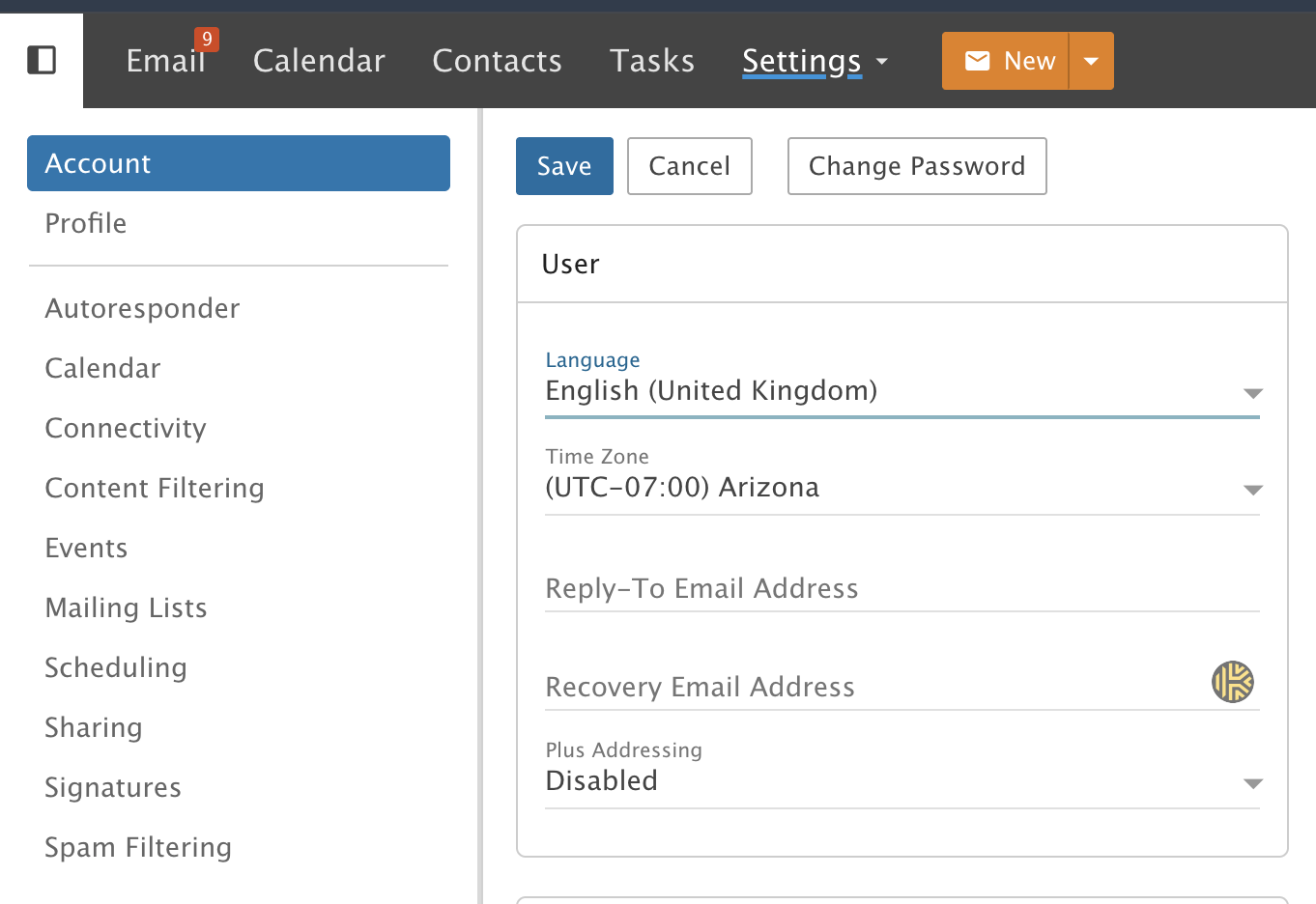
I reviewed your ticket and it appears the user’s language is currently set to English, and only the timezone has been modified. Changing the timezone alone will not affect the date format. The language setting must be changed.
After doing this, dates in email should display in the expected format.
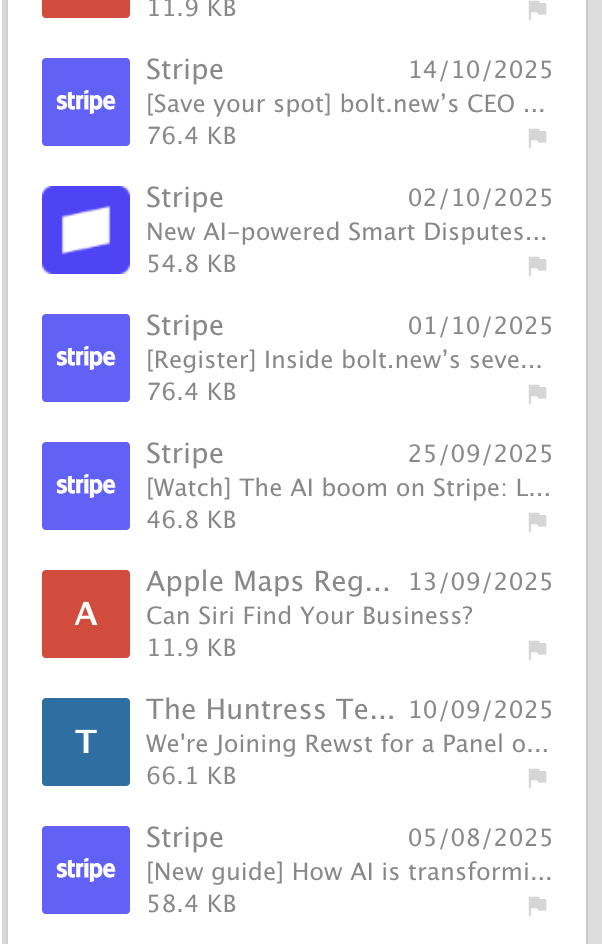
If you do not see the change after making this update, the most likely reason is that you are impersonating the account. When impersonating a user, webmail uses the language configured on the administrator account, not the user account.
You can verify this under Settings → Administrators → Your admin account.
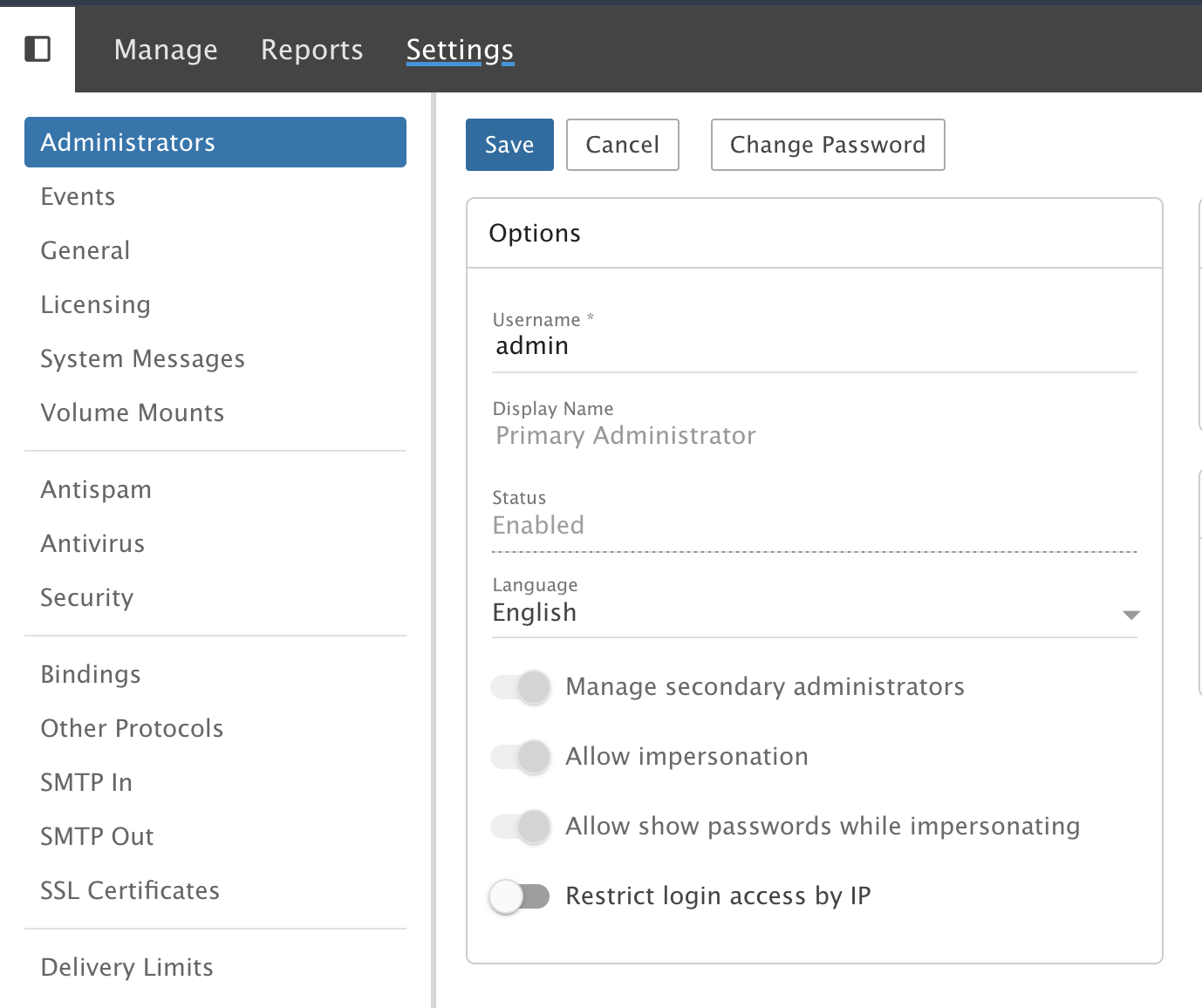
If you also set your administrator language to English (United Kingdom), the dates should display in the same format when impersonating users.
This behavior exists so administrators can still navigate webmail even if a user’s account is configured with a language they do not speak.
Again, I apologize for the confusion earlier in the thread. I have also reached out to the support department manager and asked him to review the ticket so it can be used as a learning opportunity for our team.
Kind regards,